SCPI Instrument Control
Welcome to the SCPI Instrument Control documentation! SCPI Instrument Control is a universal Python library for SCPI test equipment — oscilloscopes, function generators/AWGs, power supplies, and DAQ units — with a PyQt6 desktop GUI and a browser-based lab gateway.
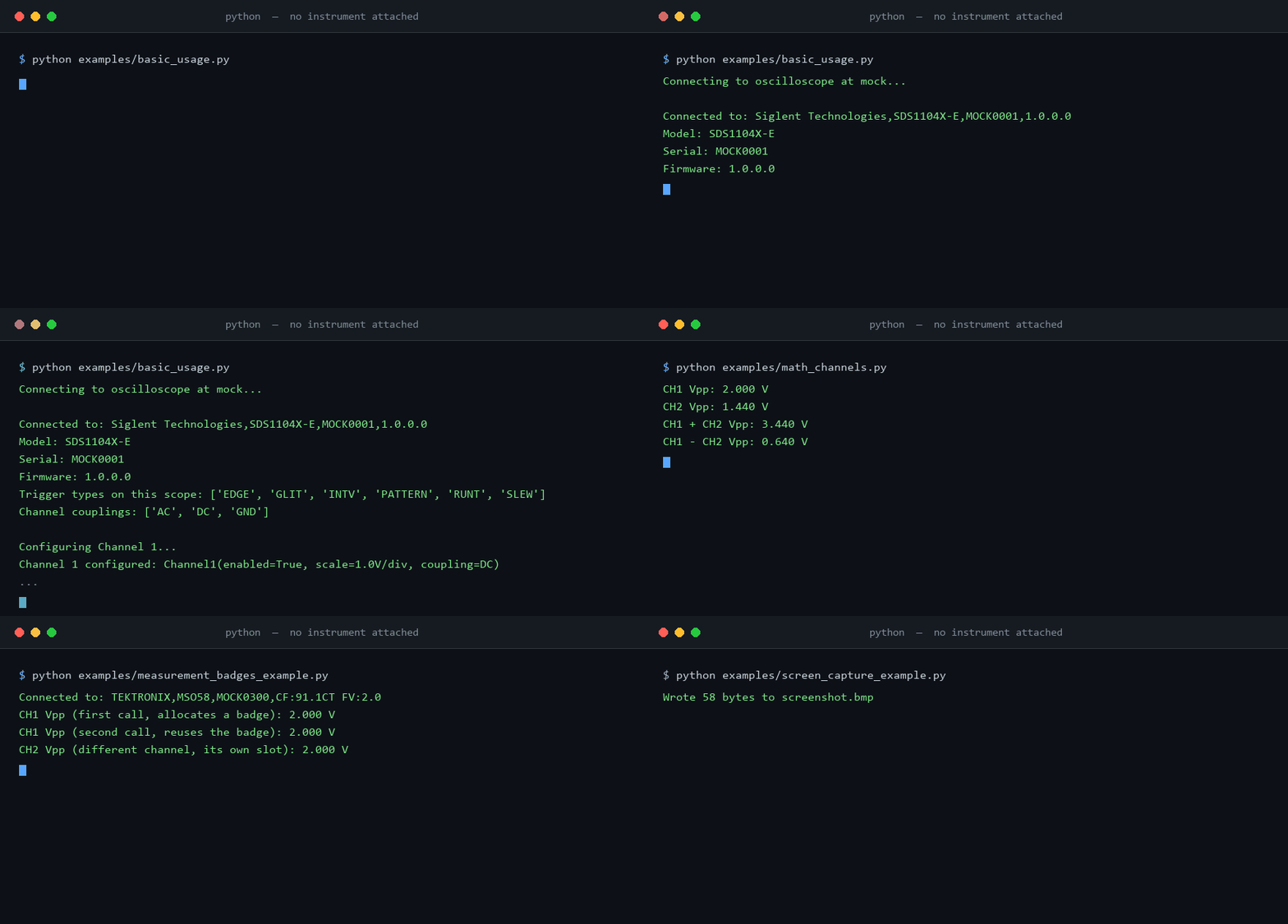
You do not need an instrument to try it. Every example below runs against the built-in mock scope, and this recording is of them actually doing so — each frame is captured by running the example, so it cannot drift from what the code really prints:
- Quick Start
Get up and running in minutes with our quick start guide
- User Guide
Learn how to use all features of the library
- GUI Application
Discover the powerful GUI for interactive control
- Web Gateway
Control instruments from any browser on your LAN — no client install
- API Reference
Complete API documentation for all modules
Overview
This library provides comprehensive control for SCPI test equipment — oscilloscopes, function generators/AWGs, power supplies, and DAQ units — over Ethernet. It supports programmatic control through a Python API, interactive control through a feature-rich PyQt6 GUI, and a browser-based lab gateway for LAN-wide access.
Supported Models
- SDS800X HD Series (e.g., SDS824X HD)
- SDS1000X-E Series
- SDS2000X Plus Series
- SDS5000X Series
Key Features
- Waveform Acquisition - Capture and analyze waveforms with full metadata
- Channel Control - Configure voltage scale, offset, coupling, and probe settings
- Trigger Management - Full control over trigger modes, levels, and edge detection
- Measurements - 20+ automated measurements (frequency, Vpp, rise time, etc.)
- FFT Analysis - Frequency domain analysis of captured waveforms
- Protocol Decoding - Decode I2C, SPI, and UART protocols
- Automation - High-level automation classes for data collection
- Data Provenance - Every capture records the instrument, settings, and timestamp that produced it; read it back with
load_waveform()or thescpi-extractCLI - Synthetic Signals - Generate parameterized waveforms (sine, square, triangle, ramp, DC, noise, chirp, exponential, pulse, multitone) with no instrument required; mock scopes synthesize state-coupled captures by default
- Real-time Live View - High-performance waveform display (1000+ fps)
- Visual Measurements - Click-and-drag measurement markers
- FFT Display - Interactive frequency analysis
- Protocol Decoder - Visual protocol decoding interface
- VNC Integration - Remote access to oscilloscope screen
- Vector Graphics - Draw shapes and text in XY mode
- Export - Save waveforms to CSV, NPZ, MAT, HDF5, and images
- Multi-channel - Simultaneous capture from all channels
- Thread-safe - Background data acquisition without blocking
- Type hints - Full type annotation for IDE support
- Extensive tests - 1,100+ automated tests
- Documentation - Comprehensive docstrings and guides
Installation
Install the base package:
Or install with all features:
See the Installation Guide for more options.
Quick Example
No instrument required — this runs as written:
from scpi_control import Oscilloscope
from scpi_control.connection import MockConnection
from scpi_control.signal_synth import SignalSpec

# A virtual SDS1104X-E probing a 3.3 V, 1 kHz logic clock.
# For real hardware, drop the connection= argument and pass an address:
#     scope = Oscilloscope("192.168.1.100")
scope = Oscilloscope("mock", connection=MockConnection(
    "mock",
    channel_states={1: True},
    signals={1: SignalSpec(kind="square", frequency=1000.0, amplitude=1.65, offset=1.65)},
    sample_rate=20e6,
    timebase=500e-6,
))
scope.connect()

waveform = scope.get_waveform(channel=1)
print(f"{len(waveform.time)} samples")
print(f"Vpp  {waveform.voltage.max() - waveform.voltage.min():.3f} V")
print(f"Freq {scope.measurement.measure_frequency(1):.2f} Hz")
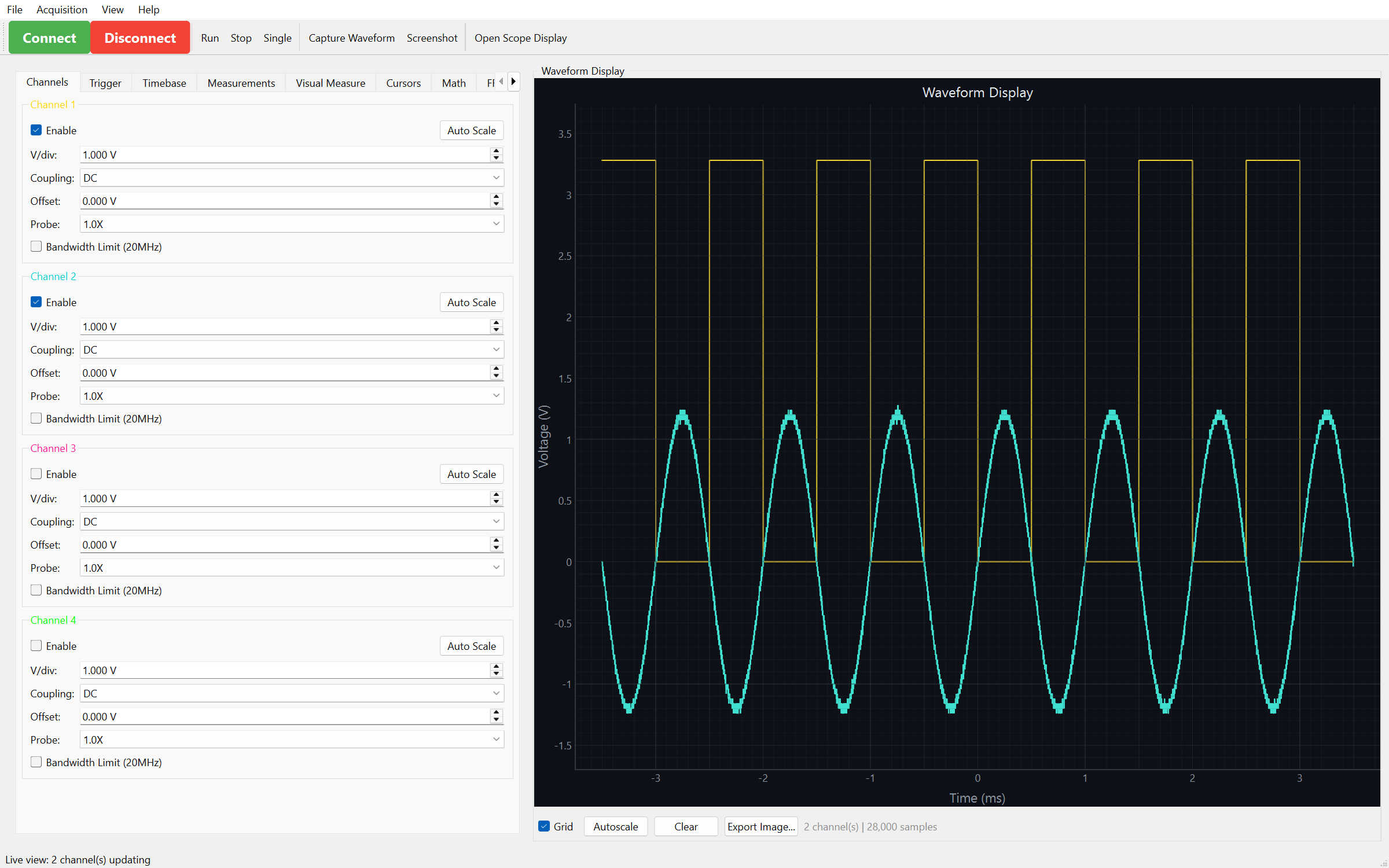
GUI Application
Launch the GUI with:
Documentation Structure
Getting Started
New to the library? Start here!
- [Installation](getting-started/installation.md)
- [Quick Start](getting-started/quickstart.md)
- [Connection Setup](getting-started/connection.md)
User Guide
Learn all the features
- [Basic Usage](user-guide/basic-usage.md)
- [Waveform Capture](user-guide/waveform-capture.md)
- [Measurements](user-guide/measurements.md)
- [Advanced Features](user-guide/advanced-features.md)
Examples
Real-world code examples
- [Beginner Examples](examples/beginner.md)
- [Intermediate Examples](examples/intermediate.md)
- [Advanced Examples](examples/advanced.md)
API Reference
Detailed API documentation
- [Oscilloscope](api/oscilloscope.md)
- [Channel](api/channel.md)
- [Trigger](api/trigger.md)
- [Waveform](api/waveform.md)
Community & Support
- GitHub Issues: Report bugs or request features
- Discussions: Ask questions and share ideas
- Contributing: Contribution guidelines
License
This project is licensed under the MIT License - see the License page for details.